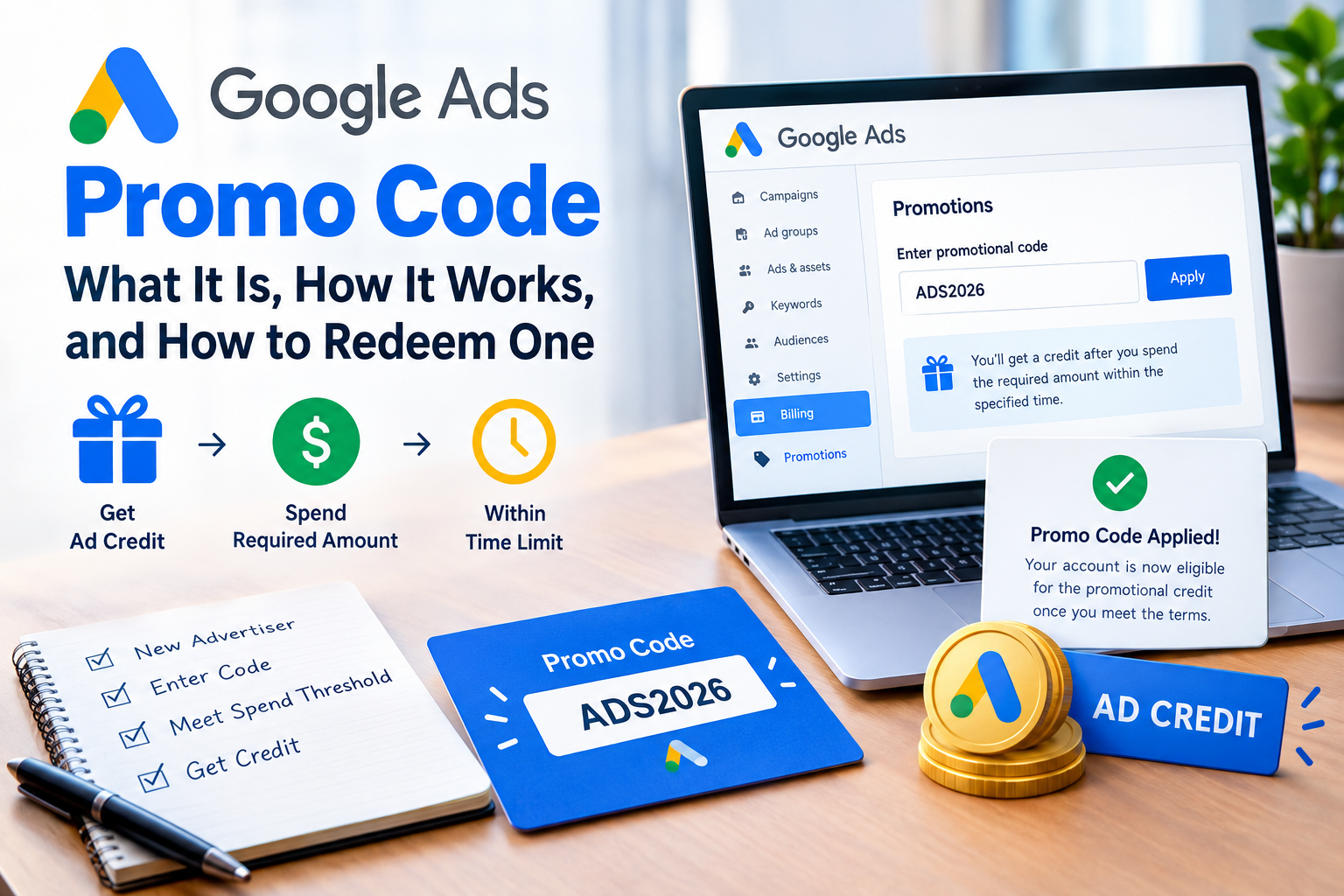
A Google Ads promo code is a short code that gives a new advertiser a bonus advertising credit after they spend a set amount in their first weeks on the platform. Google issues these codes through its own offers, and the amount, spending requirement, and deadline differ by country and campaign. Codes are entered in the billing section of your account, and the credit appears only after you meet the stated terms.
What Is a Google Ads Promo Code?
A Google Ads promo code is a promotional credit that Google applies to your advertising costs, not a discount on individual clicks. It works as free ad spend that offsets what you would otherwise pay, once you satisfy the offer’s conditions. Google also calls these codes “promotional codes” or “coupons,” and they all refer to the same thing.
Most offers are aimed at new advertisers who have never run a campaign in a given account. A typical offer follows a “spend X, get Y in credit” structure, such as spending a set amount within a set number of days. The exact figures are set per region and change over time, so any amount quoted on a third-party site should be checked against the offer’s own terms.
How Does a Google Ads Promo Code Work?
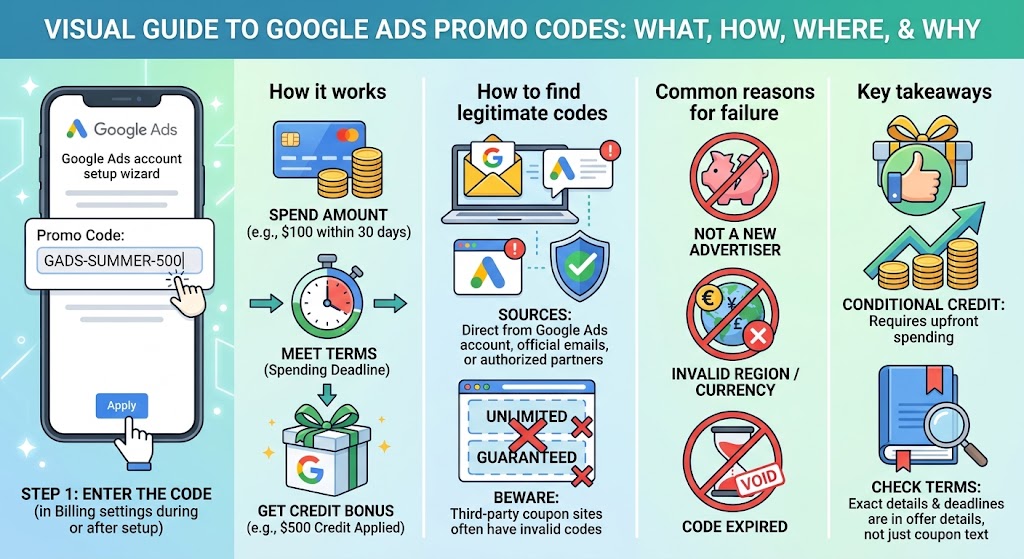
A promo code works by attaching a conditional credit to your billing account, which Google releases after your ad spend reaches the required threshold. Redeeming the code does not give you money immediately. It registers the offer, and the clock usually starts when your ads begin running.
Three conditions matter most:
- Spend threshold: the amount you must spend on ads before the credit is granted.
- Time window: the number of days, often counted from your first ad impression or click, in which that spending must happen.
- Credit timing: the credit typically appears in your account after the threshold is met, not at the moment you enter the code.
Credit applies only to advertising costs on the account where it was redeemed. It does not turn into withdrawable cash, and unused credit expires if the offer’s terms specify an end date.
Where Can You Find a Legitimate Google Ads Promo Code?
The most reliable source of a Google Ads promo code is Google itself, either inside your account or through its official communications. Google may show a promotion during sign-up, in the billing section, or in emails sent to new advertisers. Some Google partners, such as web hosting companies or agencies, also hand out codes through authorized offers.
Coupon websites that list “unlimited” or “guaranteed” codes deserve caution. Codes are generally tied to specific offers and eligibility rules, so a code found on a coupon page often fails for reasons the page does not explain. If a site asks for payment or your account login in exchange for a code, treat it as unsafe.
How Do You Redeem a Google Ads Promo Code?
You redeem a promo code in the billing area of your Google Ads account, and the process takes only a few minutes. Menu labels can shift as Google updates its interface, but the steps below reflect the usual path.
- Sign in to your Google Ads account.
- Open the Billing section, which sits under the tools or settings menu.
- Select Promotions.
- Choose the option to enter a promotional code.
- Type the code exactly as written, then submit it.
- Read the terms shown on screen so you know the spend amount and deadline.
During new-account setup, Google sometimes shows a promo code field on the billing step, so you may be able to enter the code there instead.
Why Does a Google Ads Promo Code Not Work?
A promo code usually fails because the account or the code does not meet the offer’s eligibility rules. Common reasons include:
- The account is not new, or the billing profile was already used for a previous promotion.
- The code is meant for a different country or currency.
- The code has expired or was already redeemed.
- The code was entered with a typo or extra space.
- The account has an unresolved billing or verification issue.
If the code still fails after a careful check, Google Ads support can confirm whether your account qualifies.
Common Misconceptions About Google Ads Promo Codes
Several beliefs about promo codes are widespread and incorrect. The first is that a code gives free ads with no conditions, when in fact nearly every offer requires you to spend your own money first. The second is that any code works for any account, which ignores regional and new-advertiser restrictions. The third is that a code lowers the cost per click, when it only provides credit applied against your total spend.
Another common assumption is that credit can be stacked without limit. Terms generally restrict how many promotions an account or business can use, so check the offer details before planning a budget around it.
Frequently Asked Questions
Is a Google Ads promo code the same as a coupon?
Yes. Google uses “promotional code,” “promo code,” and “coupon” for the same feature, and all are entered in the Promotions area of billing.
Can existing advertisers use a promo code?
Sometimes, but most public offers target new accounts. Existing advertisers may occasionally receive targeted offers by email or in their account.
Do you need a credit card to use one?
Generally you need to set up a payment method, because the credit is released only after you spend your own money and any spend beyond the credit is billed to you.
Does the credit cover all costs?
The credit offsets ad spend, but you remain responsible for any costs beyond the credit amount.
Conclusion
A Google Ads promo code is a conditional advertising credit, typically for new advertisers, redeemed in the Promotions area of your billing settings and released after you meet a spend threshold within a set time. The most dependable codes come directly from Google or its authorized partners, and the terms shown with the offer are the final authority on amount and deadline. To keep learning, you may want to explore how Google Ads budgets and bidding work, or how to set up your first search campaign.